How PHX ARCHITECTURE Uses AI While Protecting Architectural Expertise
Scottsdale
Beverly Hills
- High-end residential
- Clubhouse
- Hospitality
Most firms try AI rendering. PHX ARCHITECTURE made it daily practice.
The 20-to-25-person studio, known for high-end custom residential and hospitality work, has spent the last several months putting Motif to work across more of the design process than most firms attempt. Concept massing on the front end, site transformations and renderings in the middle, cross-office collaboration and client-facing video throughout.
The studio uses Motif daily, with a core group of power users actively shaping what the platform does next. As Stuart Jon Traynor, PHX's Creative Director, has put it: PHX has more daily and power users on Motif than any other tools the studio has adopted recently.
The Challenge
AI That Could Keep Up With a Real Architecture Practice
PHX's design process has always started by hand. Sketches first, then Revit, then the long path to construction documents: a process built around designers who could carry a project from a charcoal line on paper through to the finished building.
For visualizations, the firm had been working in a familiar stack: Revit and SketchUp for modeling, Enscape for renders, and an online whiteboard for early concept boards. References lived in one place, models in another, renderings in a third, and team comments across them all.
The harder problem was AI itself. The studio's leadership had been watching the AI space carefully and recognized AI as a catalyst for change and understood its ability to transform the industry. They also saw the system vulnerability. Most AI image tools could produce something that looked architectural without producing anything specific to the discipline. Proportions drifted, and materials lost their character. The output was plausible at a glance, but lacked the architectural rigor of an architecturally-trained eye.
What PHX needed wasn't a faster render button, rather an AI tool built for architecture, on a canvas where the entire team could work together, instead of working separately across offices.
The Fit
Why PHX ARCHITECTURE Chose Motif
Several considerations ultimately pointed to Motif as the answer.
- The AI was optimized for architecture, not generic image generation. General AI image tools produce output that looks plausible in passing but doesn't hold up to an architecturally-trained eye, and isn't suited to the kinds of work an architecture firm actually produces. Motif's AI is purpose-built for architectural visualization—tuned to the way architects represent buildings, not to general-purpose image creation. For a firm whose reputation runs through every rendering, that distinction mattered.
- Everything moved into one workspace. Models, references, renderings, mood boards, and team comments living on the same canvas. The team's work comes together in one browser-based space anyone within the firm can open.
- It worked across offices, in any the browser. A designer in one PHX office can open a project, drop in a render reference, and tag a colleague in another office on the same canvas. For a firm with people working across multiple locations, that wasn't a feature, it was the entire point.
- It moved early schematics to "realistic" in a single step. What used to be a manual handoff from concept sketch to client presentation could now happen in one click, keeping the design conversation moving instead of stalling between tools.
Today, Motif is on many active projects at PHX, with daily users across the firm and a core group of power users pushing the platform harder than any other tool in the studio.

Use Cases
Heavy Daily Use, Across the Project Lifecycle
The most visible change at PHX has been project visualization, and the volume of it.
The team produces high-fidelity, photorealistic renderings directly from their Revit and SketchUp models, in minutes rather than hours. Renderings that used to live at the polished-presentation stage now happen earlier and more often, throughout the design process. Designers iterate on look and feel during working sessions, not as a separate downstream task. Quick studies that would once have stayed as gray-shaded models can be visualized, shared, and discussed the same day.
That shift, from rendering as a deliverable to rendering as a working medium, is what daily use actually looks like in practice.
When the team needs targeted edits, like swapping a material, evolving a landscape, or refining a specific area of an image, they handle it on the same canvas with image-to-image tools, working from their own references rather than starting over in a separate tool.
Site Transforms: Putting the Building in the Real World
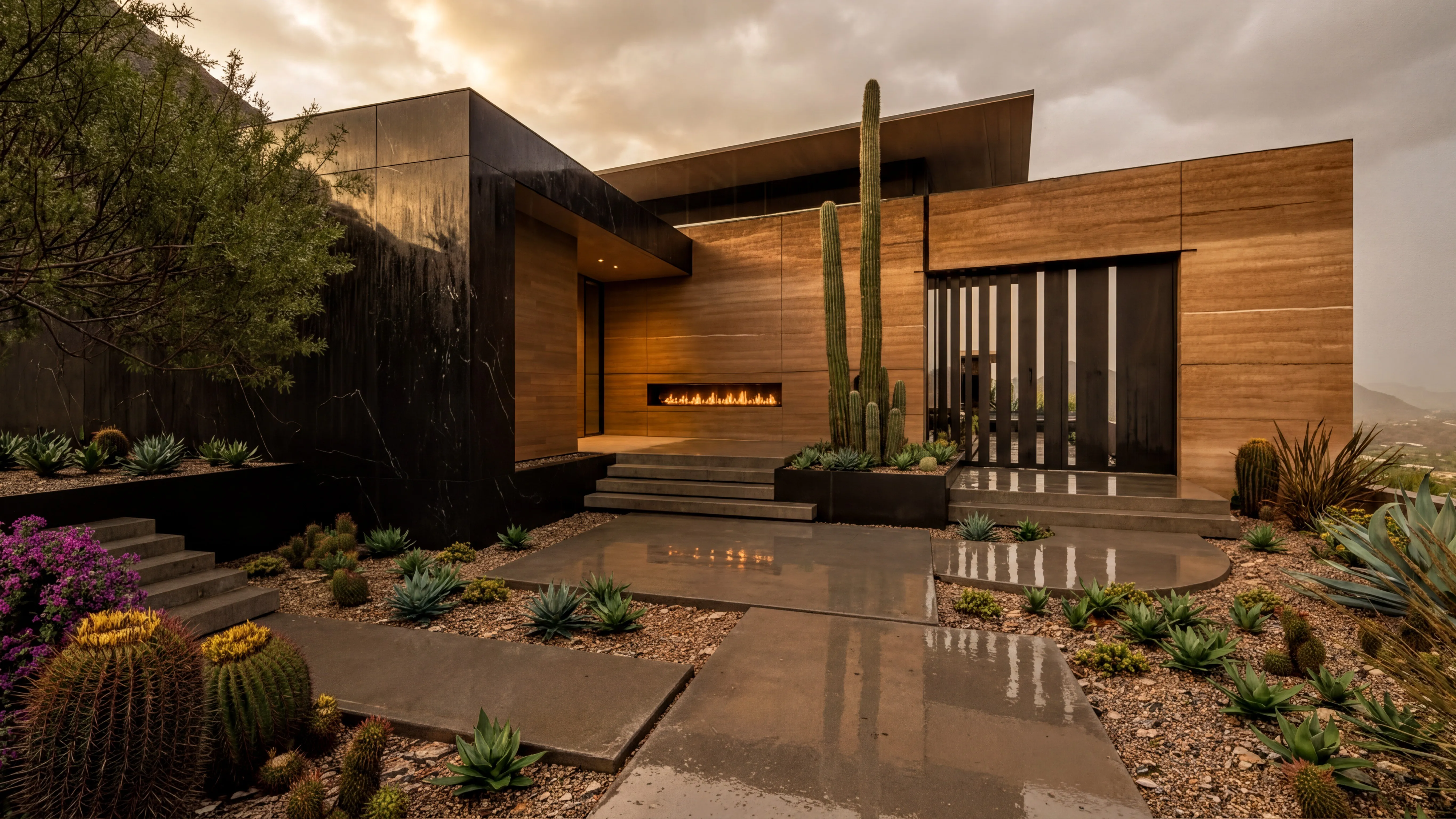
A meaningful share of PHX's work, especially on custom residential, sits in places where the site itself is part of the story: a desert lot, a hillside, a piece of land a client has loved for years. The team uses Motif's site-transform workflows to drop the studio's models into real-world site photography, so clients see the proposed home in its actual setting, not floating against a stock background.
That kind of contextual visualization transformed how PHX presents work in client meetings.
Concept Massing, Sketch-to-Render, and Cross-Office Collaboration
Early-concept massing studies are where the firm has historically excelled, and they're now happening on the same canvas as everything else. Sketch-to-render workflows let the team move quickly from a hand drawing or volumetric study into a rendered scene, supporting fast iteration during early design conversations. PDF markups bring another mode of review onto the same surface, so notes on a printed plan can travel with the rest of the project.
For a firm with multiple offices, the bigger shift has been collaboration. Before Motif, cross-office work meant PDF markups for early concepts, screen-shared model walkthroughs for design review, and a lot of email in between. Now, projects live on a Motif canvas any PHX Motif user can open, regardless of which office they're in. Reference images, sketches, 3D model views, AI renders, PDF and screenshot markups, and team comments are all on the same surface. Designers in different offices can work simultaneously on the same canvas, leave comments tied to specific elements, and pick up where colleagues left off.
The firm has migrated its early-concept work into Motif as a result. For a studio whose offices share work daily, having one canvas that everyone opens simplifies and streamlines workflows among co-creators working on the same project.

The Results
What PHX ARCHITECTURE Has Today
A few things the firm is seeing now that it wasn't seeing before:
- Heavy daily use of AI rendering across the studio, with renders moving from polished-deliverable to working medium throughout the design process.
- Site transforms that put the studio's models into real-world topography, sharpening client conversations about how a building will sit on its land.
- A unified canvas across multiple offices, simplifying communication to coordinate work.
- A core group of power users incorporating Motif into daily practice.
For an established firm like PHX, the value of an AI tool isn't measured in renders per minute. It's measured in how well it can bridge the gap between an Architect’s expertise and client vision. By that measure, Motif has earned its place in the way PHX builds.
PHX ARCHITECTURE is a 20-to-25-person architecture firm specializing in high-end custom residential and hospitality projects. The firm operates across multiple offices in the United States.