Six Months of AI Rendering in Motif: What’s New and What We've Learned
Six months since we launched AI rendering in Motif 1.0 and my first blog on AI— and what a six months it has been!
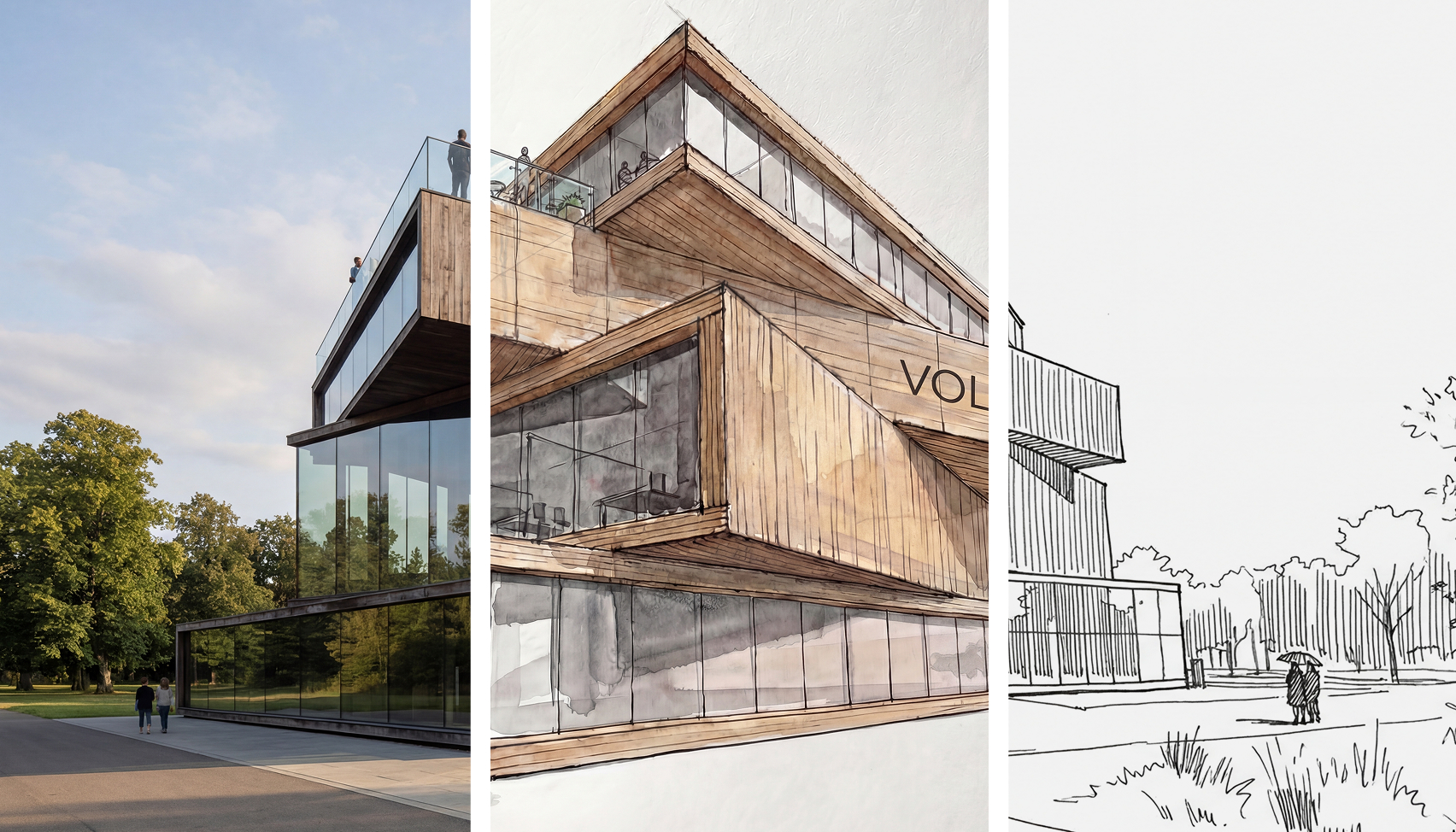
Six months since we launched AI rendering in Motif 1.0 and my first blog on AI—and what a six months it has been! Time has taken on a different dimension since AI shook the reality we knew, and it surely shows no signs of slowing down.
In the world of AI image and video generation, things were already moving at a relentless pace. Ever-newer models of Midjourney, Imagen, Stable Diffusion, Flux, Sora, Runway, Kling, Qwen, Hunyuan…and a growing crowd of aggregators trying to put friendlier faces on it all. Which sane human can keep track of all of that??? The landscape had fundamentally shifted from experimental toys to production-ready platforms, with photorealism, motion coherence, and precise creative control converging.
And then: a thunderstorm.
In December, Google launched Nano Banana Pro. A real magic—unexplainable even to those who built it. Architecture firms that had spent months being skeptical, some actively resisting, switched almost overnight to mandating its use.
Way to go Naina Raisinghani, the Google PM whose two nicknames (or a combo of ‘Naina Banana’ and ‘Nano’) made it into becoming the most talked-about image editing model in the world
What made it a turning point wasn't just the quality—it was the access and unexpected magic. Free, available to anyone, no setup required, just imagine, say it out loud and sky is your limit. For the first time, senior architects who had every excuse to stay skeptical—the pencil-and-paper masters, the ones who'd been burned by "semi-OK" AI results before—had no excuse left. The results were just too good to ignore and too easy to get.
Examples
Some pioneers with unstoppable curiosities, continuously inspire with new examples of them pushing the tools.
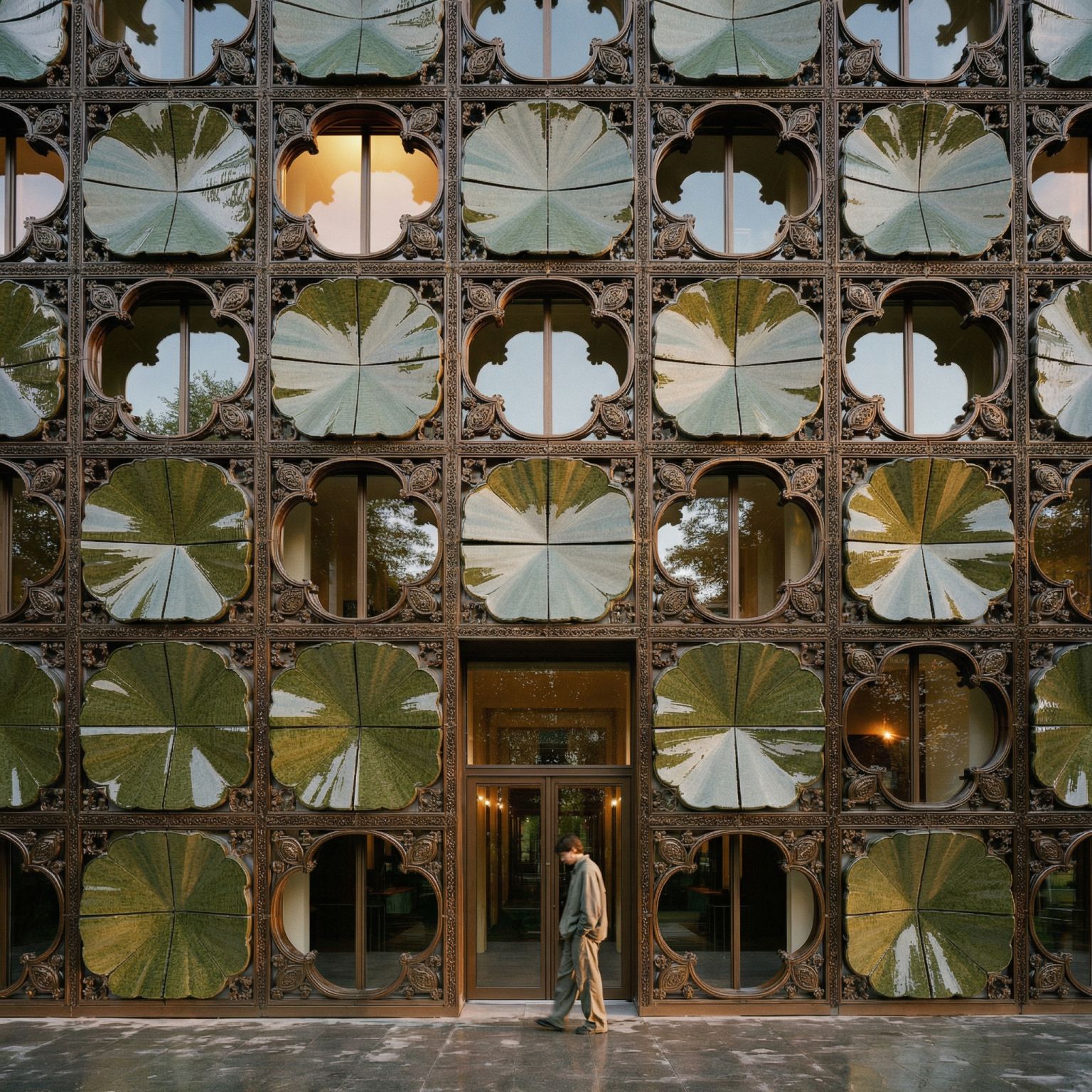

What I love most is watching what architects did with it that nobody planned for. Google didn't market many of the use cases. Nobody pushed for them. Resourceful architects just went out and had a ball—and pushed the limits further than anyone expected.
Trying out my luck
For fun I was pushing the buttons of Nano Banana Pro, trying to see how far would it go. Frankly, I did not expect this! The prompt? ‘Generate a detailed blow-up drawing of a facade structural detail from the building in the provided image. Render an architectural detailed drawing, include text labels and leader lines inside the image pointing to and describing key components’
.png)
How we're thinking about AI
Our strategy from the beginning was simple, and we still firmly believe in it: reduce friction while in a workflow. We believe AI will finally bring an end to technological terror and let any player play their game at whatever level they want to play it.
When I was product manager of Memento, one of the first commercial professional grade photogrammetry-to-high def mesh (now ReCap Photo), we had users from every industry and skill level: conservationists, archaeologists, fashion designers, museums, architects, engineers. How do you give all of them access to the same powerful tool? Swim. Snorkel. Dive. Let everyone find their depth.
That's exactly how we are building AI rendering in Motif. Start with a surface swim—single click from your streaming Rhino or Revit model—and render. No prompt, no settings, no friction. Great result. Excited? Good.
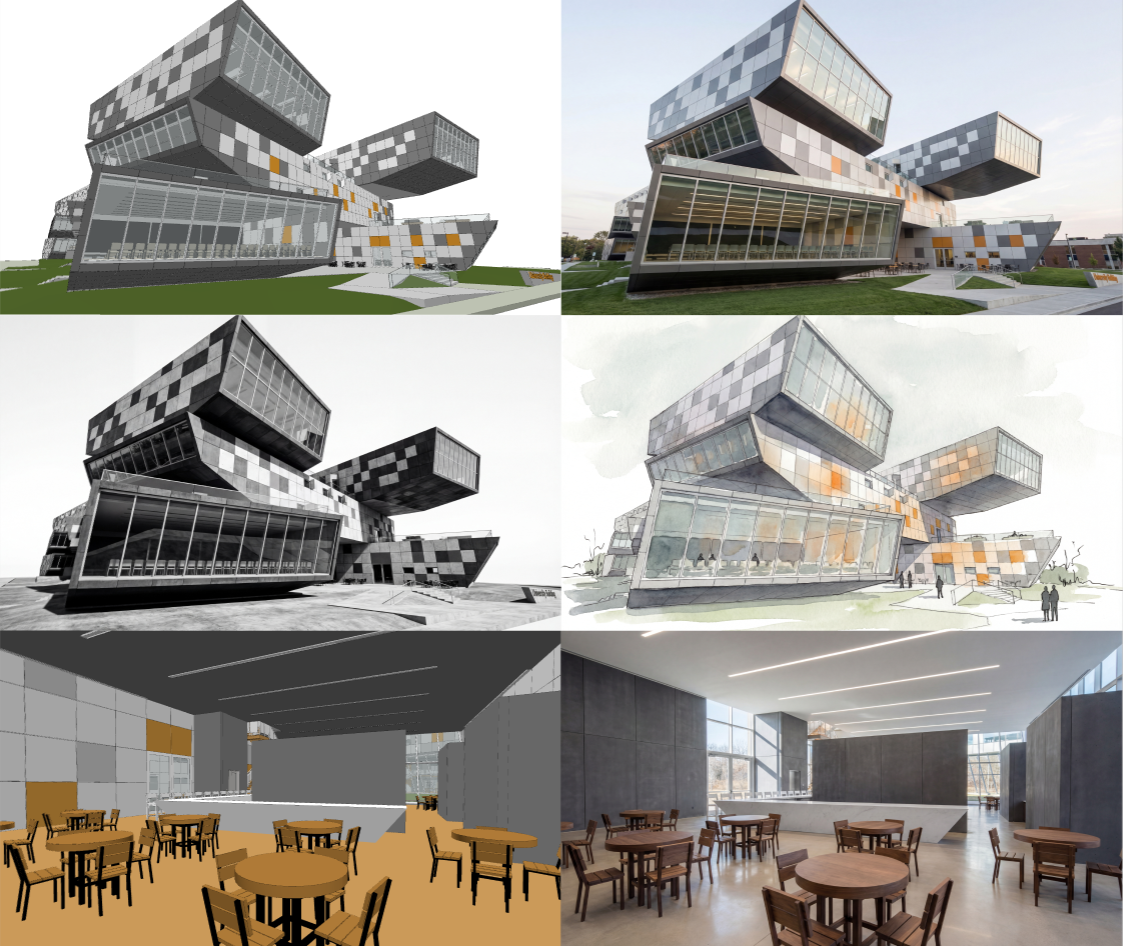
Now try a modifier—snorkel. We've done the deep testing so you don't have to—"after the rain," golden hour, watercolor—consistent, beautiful. And no, your renders won't look like everyone else's even if you use the same modifier. That's just not how AI works. You can also, (but don’t have to) guide it with a more specific prompt.
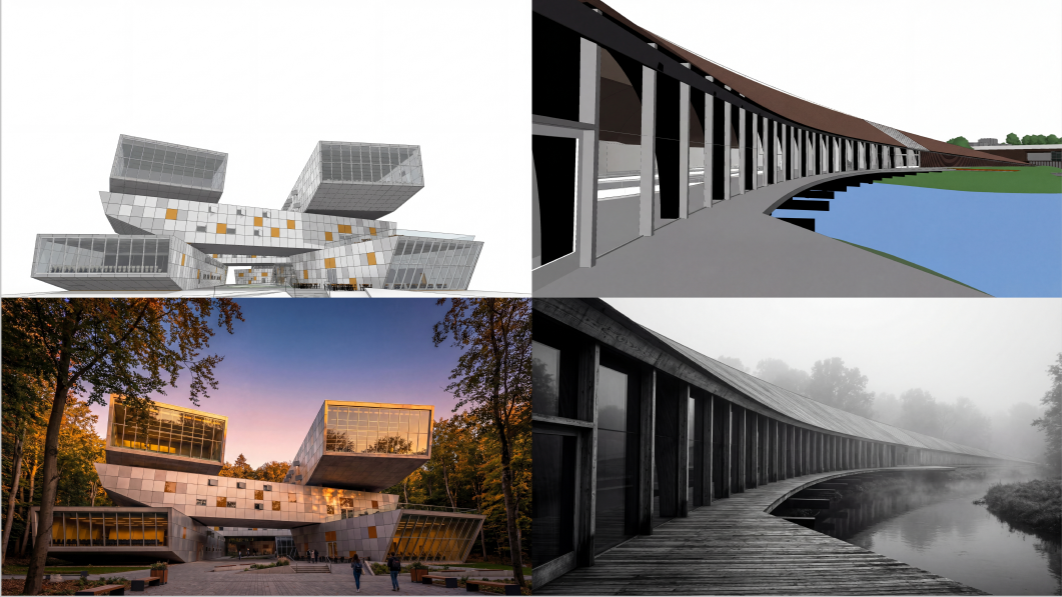
Then, when you're ready, go further: write your own prompts, make geometry-controlled edits, go full creative. (And yes, repeatable workflows are coming soon).
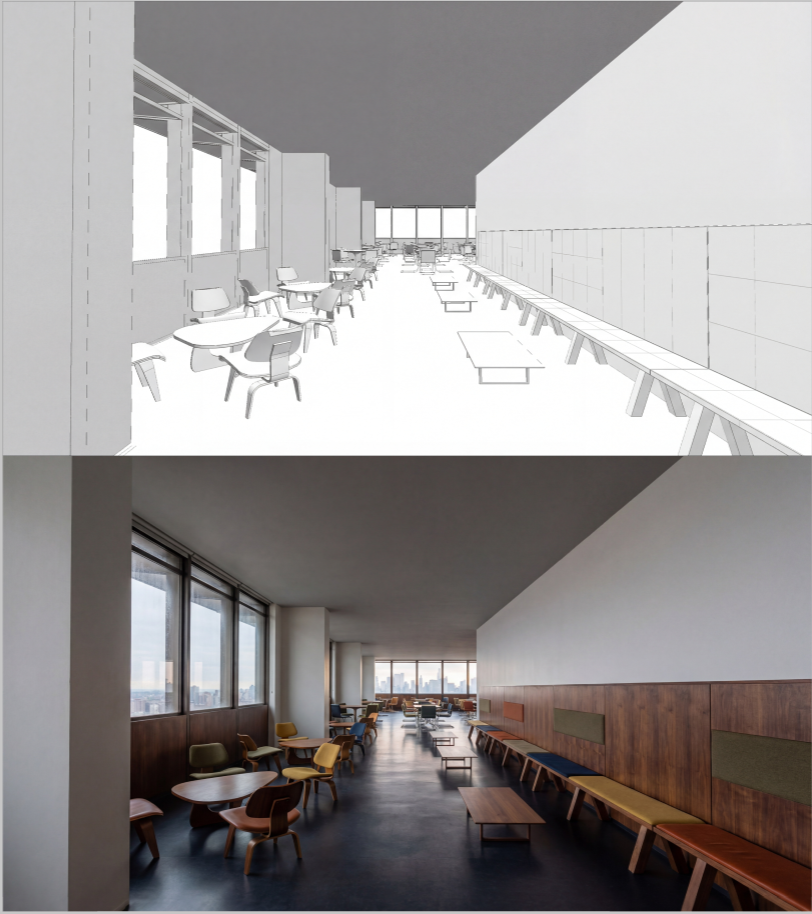
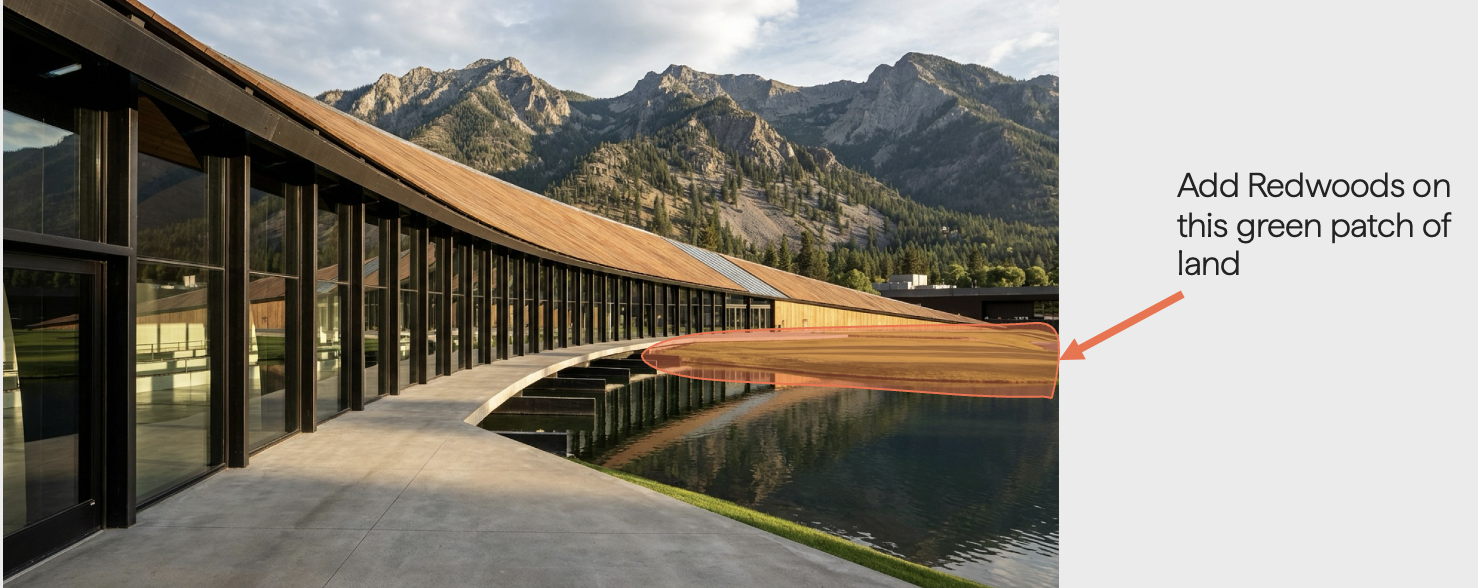
We also gave you graphic controls for further edits. Edit specific regions of an image.
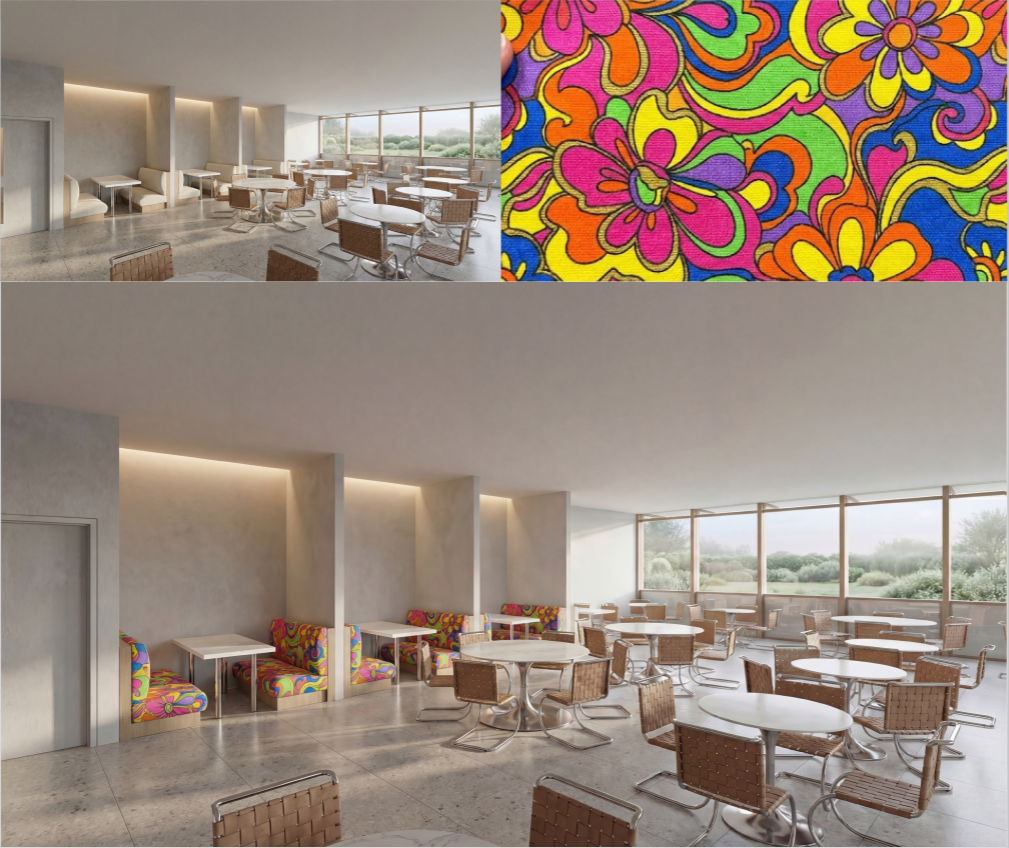
Use a reference image to transfer a color palette or style.
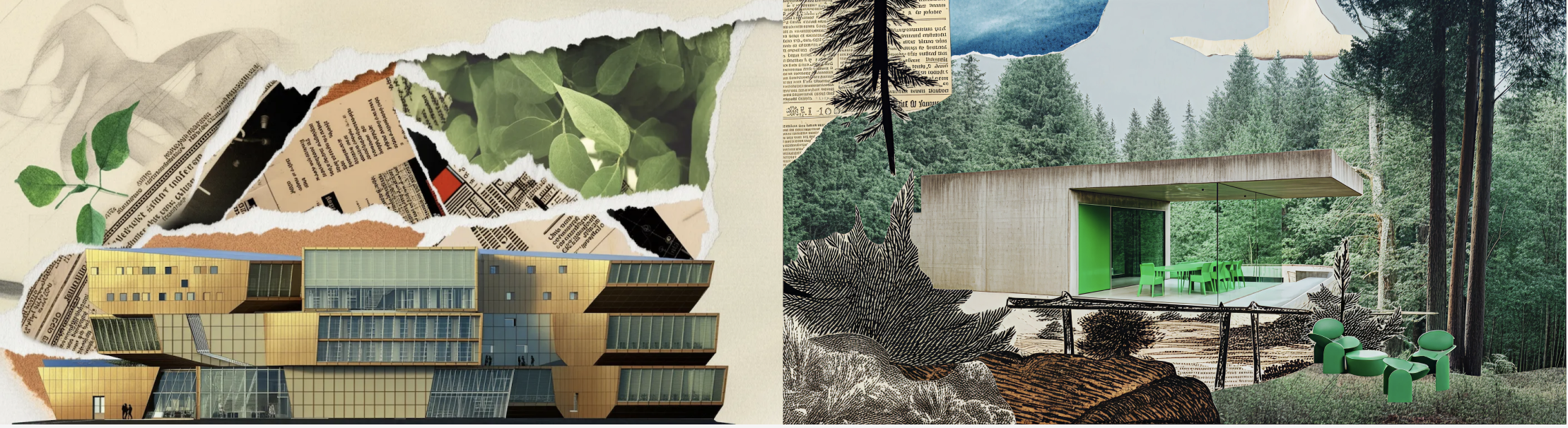
Create collages, markers style renders or architectural sketches with a single click.
And—one of my personal favorites—sketch directly on the canvas: not as a markup tool, but as actual design input for options you're not ready to model yet.
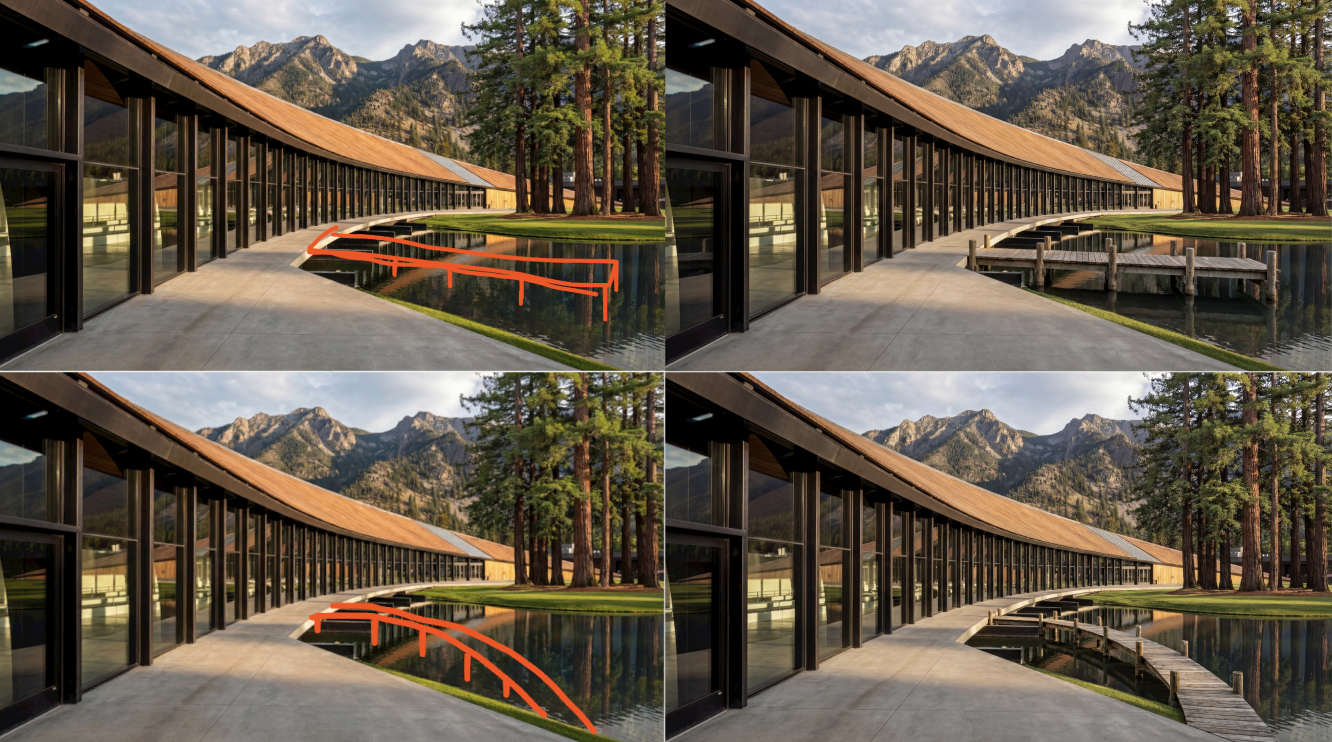
The unleashed power of exploration—the magic of post-edits with sketch and words: "How amazing is it that I can explore these options without actual modeling?"
(I am scrappy on purpose, not trying to seduce you with highly curated images, showing you the first try and first results)
You can of course use a sketch to directly create a photorealistic rendering as well!
.png)
And yes, in Motif, with the magic of AI, you can bring to life a scene, with a single click as well!
Which model to use?
We tried to pick the best LLM for you so you wouldn't have to scratch your head thinking about what to do. Then we realized—the tech is early, you are curious, and you actually want to compare models. So we gave you that option.
Thus, model selection is now available to users—you can choose from a (expanding) list of multiple image and video models (Imagen, Nano Banana, Nano Banana Pro, Runway, Veo etc.) so you’re in control. We will keep adding models that bring real value to you (and don’t train on your data, see the IP section later).
Imagen vs. Nano Banana vs. Nano Banana Pro
We still love Imagen for its ability to keep your building geometry honest while you play with weather, materials, and presentation styles. Don't dismiss it too quickly. But Nano Banana Pro? Undeniably more powerful and versatile for edits and post-render magic. Plus, you can use it in browser. Yes, it can hallucinate. Yes, we are working on taming that beast. But it produces more magic than mistakes—give it a few tries, play with the language.
Example
Nano Banana Pro is AMAZING, but not perfect, and that's okay. When you use Nano Banana Pro standalone, you work alone, see one result at a time, and have no graphic controls for specific regions. And depending on the specific example, perspective, or prompt, it will occasionally get a bit too creative and try to redesign something you didn't ask it to do.
A few things that help:
- Try 2-3 times, it usually gets there.
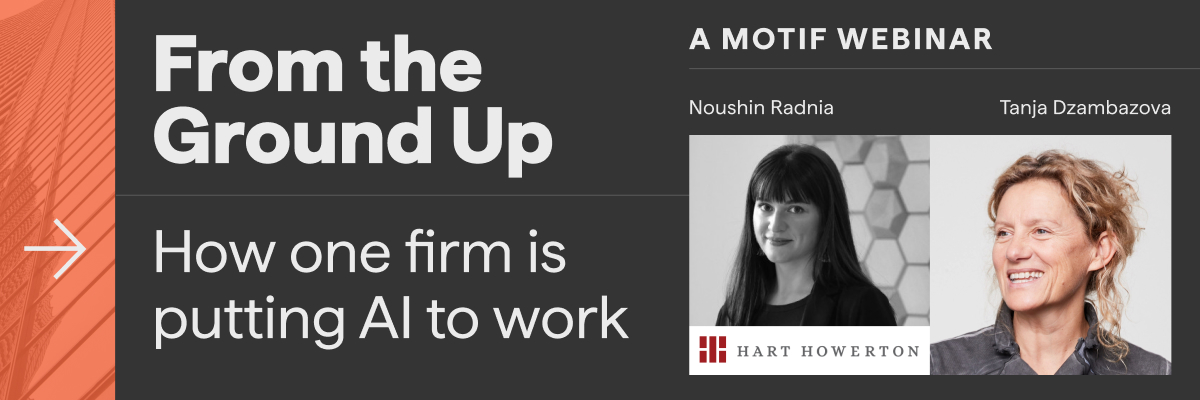
- If it's being stubborn, put the emphasis in brackets [like this] or any other grammatical way to point to the AI to pay special attention to your intent—a tip generously shared by one of our biggest evangelists, Noushin Radnia from Hart Howerton, who doesn't expect AI to do 100% of the work and sees it exactly as we all should: an assistant that helps, augments, and starts work that would otherwise be painful, slow, and expensive.
Noushin is joining us as a guest on our next webinar on March 5th at 9am PT / 12pm ET—don't miss it.
How this all works in Motif
In Motif, all of this happens in a multiplayer, infinite canvas where your whole team can generate, compare, and discuss results simultaneously. Everyone sees the same renders, how they were made, and can build on each other's work. No export. No import. No new interface to learn. It's part of your design / review workflow. As someone said at a recent conference: "If you're in the business of exporting and importing files, you're in the old world."
We also know many of the large architectural firms are building their own pipelines or using visual node tools — and that's genuinely great. But at some point, implementing, updating, and contracting models becomes a never-ending exhausting activity. As the landscape keeps shifting, we'll handle that for you—continuously updating the underlying LLMs and optimizing the workflows.
And on the data side: your designs do not train our models (or anyone else’s, for that matter) Nobody's training on your work. Full stop. That is a contractual promise we give you, and we will continue partnering only with companies who respect that your IP is YOUR IP.
Is AI rendering perfect? No. LLMs were never promised to be infallible—they have their moods, their logic, their own spirit. The Japanese celebrate imperfection rather than hiding from it, and I think that's exactly the right frame. Stop looking at what it gets wrong. Ask yourself what it can do for you.
As our CTO Brian Mathews would say: don't count the renders that came out weird. Count the fifty that would have taken you a week.
Six months in, we've gone from senior architects being skeptical to senior architects being the ones pushing the team. The sky genuinely is the limit—and we're just getting started.
.png)
Tanja is a technology maker and whisperer. She is a product management guru with two and a half decades of PM experience and has led the development of over 12 software products. She's passionate about taming emerging technologies into products people love to use.